
Sign up today
No confusing contracts. No surprise charges.
Just clear, fair pricing and reliable support when you need it.
How do I use ShiftSync?
Choose your role:
Deploying new software within your organisation can be complex, from initial configuration to ensuring your team is ready to use it effectively. Our goal is to make that process as simple and seamless as possible.
This guide walks you through everything you need to know to successfully deploy Shiftsync, covering each step in clear, practical detail. By following the sections on this page, you’ll be able to set up the platform efficiently and ensure your team is ready to get started with confidence.
Should you need any additional support or have questions beyond what’s covered here, please head over to our contact us page.
What is Shiftsync?
ShiftSync is a work-schedule and alarm platform designed to connect your work rota with your daily routine. Instead of manually checking your rota and setting alarms for every shift, ShiftSync syncs your scheduled shifts and automatically sets your alarms around when you need to leave.
ShiftSync can also take traffic, roadworks, accidents and weather conditions into account when calculating when your alarm should go off.
What makes ShiftSync different?
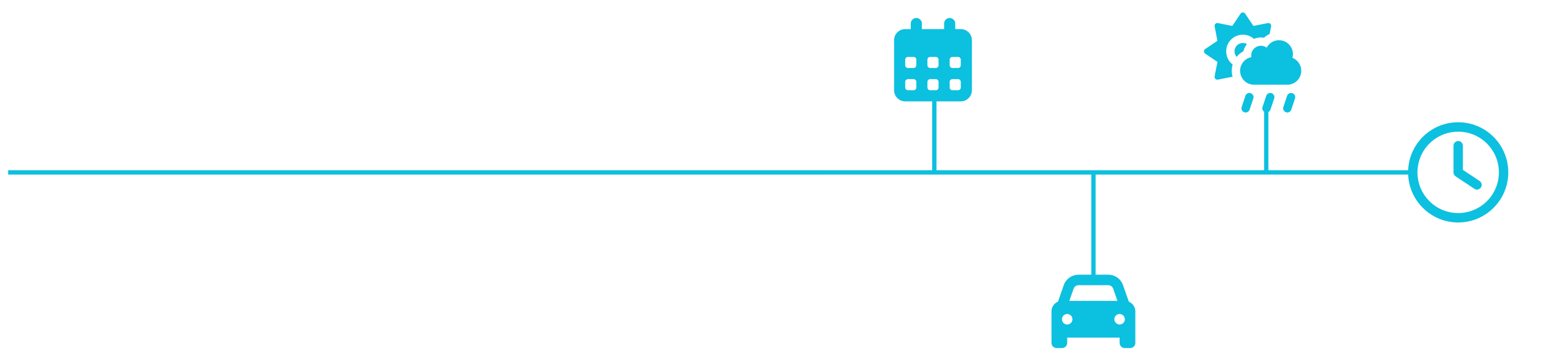
ShiftSync brings together your work rota, journey information, real-world conditions and alarm in one place.
Your rota knows when you work.
Your maps know what is happening on the roads.
Your weather service knows what is happening outside.
ShiftSync connects them and turns that information into an alarm.
Who is ShiftSync for?
ShiftSync is designed for businesses with employees who work scheduled shifts, including businesses operating monthly, fortnightly, weekly or changing rotas.
Employees can use ShiftSync through their employer’s ShiftSync account.
Who is ShiftSync for?
ShiftSync is designed for businesses and their employees, particularly workplaces where employees work changing shifts, rotas or irregular hours.
How do I get ShiftSync?
Choose the plan that suits your business through our Plans page and complete your purchase.
Once your plan has been activated, you’ll receive a confirmation email containing the information you need to get started, including access to the ShiftSync admin portal and links to download the app.
What happens after I purchase a plan?
1. Purchase a plan
Choose the plan that matches your workforce.
2. Receive your confirmation email
Your email contains your next steps, including access to the admin portal and app download information.
3. Log into the Admin Portal
Manage your company, employees, shifts and integrations from your dashboard.
4. Add your employees
Invite employees directly or share your unique company code.
5. Add your shifts
Upload your rota using a CSV file or connect your supported rota software.
6. ShiftSync does the rest
Once your rota is connected, ShiftSync can synchronise shifts and help employees manage alarms around their working hours.
Do I have to manually add every employee?
No.
You can either invite employees through the admin portal or provide them with your company code so they can join your organisation.
How do employees join my company?
Once you’ve created your company account, you can invite employees or share your unique company code.
Employees then download the ShiftSync app and use the relevant sign-in/join process to connect themselves to your organisation.
How do I add my employees’ shifts?
There are three main ways:
CSV upload
Upload your workforce rota using the supported CSV format.
Rota software integration
If your rota software is supported, you can connect it to ShiftSync and allow ShiftSync to synchronise the relevant scheduling information automatically.
Manually Add
You can choose to add the shifts manually, recuring shifts are an option to streamline the process and make it as quick and efficiant as possible.
Do I have to upload rotas every time?
Not necessarily.
If you use a supported rota integration, ShiftSync can automatically synchronise scheduling information rather than requiring you to repeatedly upload CSV files.
Can I have multiple administrators?
Yes. The number of administrators available depends on your chosen plan.
Can I manage multiple locations?
Yes. Location allowances depend on your selected subscription plan.
Can I change my plan?
Your available options for changing your subscription will depend on your current plan and billing arrangement. Contact us if you need help changing your plan.
Can I use ShiftSync without my employer?
ShiftSync is designed around an employer’s work rota. An employee cannot simply create an independent ShiftSync workplace account and use the employer scheduling features without being connected to an organisation.
Your employer needs to purchase a ShiftSync plan and set up your organisation first.
What if I download the app before my employer has signed up?
That’s okay.
If you try to create an account without an active employer plan, ShiftSync will direct you towards the relevant purchase-a-plan section so your employer can get set up first.
I’ve beentold to sign up by my employer. What do I do?
Download the ShiftSync app, open it and follow the sign-in or joining instructions provided by your employer.
Your employer will provide you with the company’s unique code neede to create your account, enter your details and your account will be created.
Do I have to manually set an alarm for every shift?
That’s the point of ShiftSync.
Once your rota is connected/uploaded and your preferences have been configured, ShiftSync can automatically synchronise your shifts with your alarms.
Can I choose how early my alarm goes off?
Yes. ShiftSync allows employees to configure their preferred lead time so that their alarm isn’t simply based on the shift start time.
For example, you may want to wake up two hours before your shift rather than one hour before.
Does ShiftSync automatically set my alarms?
That’s the idea.
Once your account and rota are connected, ShiftSync can use your upcoming shifts to automatically determine when your alarm needs to be set.
You can configure your preferred lead time and alarm settings within the app.
Can ShiftSync change my alarm if there is traffic?
Your rota knows when you work.
Your maps know what is happening on the roads.
Your weather service knows what is happening outside.
ShiftSync connects them and turns that information into an alarm
What about roadworks or accidents?
Employees can use ShiftSync through their employer’s ShiftSync account.
Does weather affect my alarm?
Weather conditions can also be considered where relevant.
For example, conditions such as snow, ice, frost, heavy rain or other weather that could affect travel may result in additional journey time being considered.
Will ShiftSync guarantee that I’ll never be late?
No.
ShiftSync is designed to help reduce the risk of being late, but it cannot guarantee arrival times.
Traffic conditions, weather information, road closures, public transport disruption, incorrect rota information, device settings and other circumstances can change unexpectedly.
You remain responsible for allowing enough time to get to work.
What happens if my phone is switched off?
ShiftSync relies on your device being available and correctly configured.
If your phone is switched off, has no battery, has notifications disabled or restricts the app from operating in the background, some functionality may not work as intended.
Do I have to allow notifications?
Notifications are important for ShiftSync’s alarm and scheduling functionality.
If you disable relevant permissions, some features may not operate correctly.
Do I have to share my location?
Certain ShiftSync features may require location information to provide journey-related functionality.
You control your device permissions and can change them through your device settings. Restricting location access may affect some features.
Which ShiftSync plan should my business choose?
This depends on the size and requirements of your workforce.
Our plans differ by factors such as:
- Number of employees
- Number of administrators
- Number of locations
- Rota frequency
- Business requirements
You can compare the available plans on our pricing page.
Can I change my plan later?
Plan changes may be available depending on your account and subscription. Contact ShiftSync if you need to change your plan or require additional capacity.
What happens if I reach my user limit?
You’ll need to move to an appropriate plan or contact ShiftSync if your workforce has grown beyond your current plan’s allowance.
Can I cancel my subscription?
Subscription cancellation is subject to the terms of your subscription. Cancellation does not necessarily result in a refund for a period that has already been paid for.
My shifts aren’t showing in the app. What should I do?
First check:
- That your employer has added or synchronised your shift.
- That you are connected to the correct company.
- That you are logged into the correct account.
- That the app has the required permissions.
- That you have an active internet connection.
If the issue continues, contact ShiftSync support.
My alarm hasn’t updated after my rota changed. What should I do?
Check that the new rota has been uploaded or synchronised successfully and refresh the app.
If your employer uses a third-party integration, the timing of the update may depend on that integration.
My alarm didn’t go off. What should I check?
Check that:
- Your phone has sufficient battery.
- Notifications are enabled.
- Alarm permissions are enabled.
- Your device hasn’t restricted ShiftSync’s background activity.
- Your phone’s volume and notification settings are appropriate.
- Your shift information is correct.
I can’t log in. What do I do?
Check that you’re using the email/account details associated with your ShiftSync account.
If you’ve forgotten your login details you can change your password by clicking on ‘forgotten password’. If you are still unable to access your account, contact support.
What information does ShiftSync collect?
Depending on how you use ShiftSync, this may include account information, work schedules, shift information, device information and location information where the relevant functionality is enabled.
See our Privacy Policy for full details about what information we collect, why we use it, how long we retain it and your rights.
Does ShiftSync sell my data?
No. ShiftSync does not sell users’ personal data and never will. We wouldnt want our personal data sold and bought so we would never do that to others?
Can my employer see my information?
Your employer may be able to access workforce information made available to them through the ShiftSync employer portal. The information available to an employer depends on the functionality of the Service and their permissions.
Our Privacy Policy explains the respective responsibilities of ShiftSync, employers and employees.